

How to Search and Prompt Online: Boolean Logic
Many remote learning students use a search function to find specific information from their online textbook. With the modern internet holding approximately 181 trillion gigabytes of data,[1] study and research aids, such as research databases, libraries, textbooks, search engines, and large language models (LLMs), can be so extensive that finding the exact information users need seems impossible.
While sifting through research and verifying sources will always be a necessary skill for quality work, there are a few good tricks to reliably find correct and relevant information. This article will focus on using Boolean logic to improve searches. To understand how Boolean logic works, it is essential to understand how information is stored in online sources.
Databases: How Digital Information Is Stored
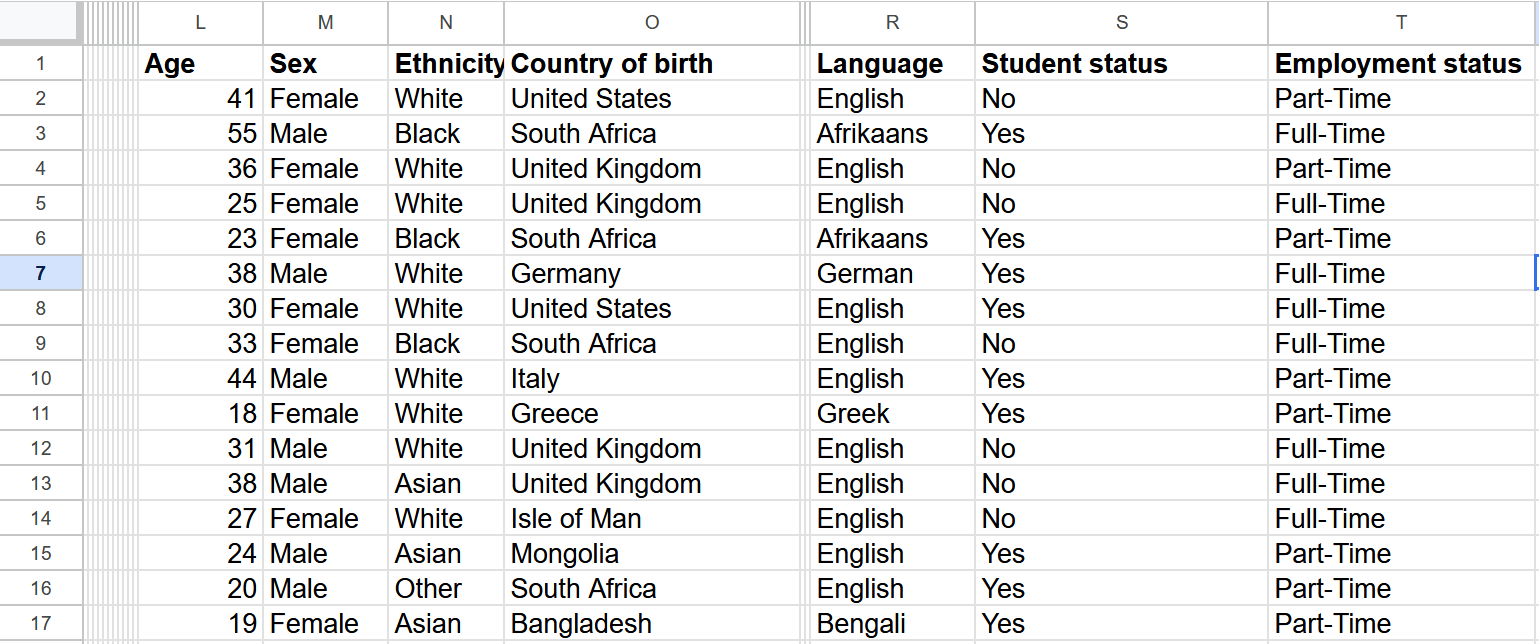
Being familiar with how a spreadsheet functions provides a good foundation for understanding online databases. Pieces of information stored in a database are organized into rows and columns. Generally, the rows and columns are used to group types of data together.[2]
When searching on the internet, people are dealing with databases that are massive. When using Google Search, an academic textbook, a research library, or an AI agent, wading through information that is not quite what we need can be frustrating. Luckily, databases connect their spreadsheets in a way that makes it easy to track down needed information. To find specific information, databases use key words and Boolean logic.
Searching with Boolean Logic
Boolean algebra[3] can be quite complex, and a full understanding of its mechanisms would require a few mathematics courses. (These might help: check out MyEducator’s course options). Simply put, Boolean algebra separates statements into two categories: true and false, or 1 and 0 in computer code. This simple binary categorization is why searching for a word in an online book using Ctrl+F works. The program looks for where the word appears and directs searchers to that location instead of elsewhere.
There are a few key operators for further filtering information with Boolean logic. This article will briefly explain each of these, then provide simple examples of how to use them in search engines.
The AND Operator
Consider a search for a specific shirt, such as a yellow shirt displaying a penguin wearing sunglasses. Entering “tee shirt” probably wouldn’t be enough to find the exact shirt, but using AND could help narrow the search. For example, “Yellow AND tee shirt AND penguin AND sunglasses.”
In some research databases, the search operator will aid in using the AND operator and other operators. By requiring the search engine to find multiple attributes in the same location, researchers can limit suggested papers about the Aztecs to suggested papers that focus on the Aztecs, language, and writing systems.
The NOT Operator
Using the operator NOT between words eliminates sources that include unwanted information. For instance, if a student is looking for articles about reptiles, but not snakes, “reptile NOT snake” might be a good starting point.
The OR Operator
If a student is reviewing multiple topics, they can also use the OR operator. The OR function allows a searcher to look for two or more key words that do not necessarily appear in the same place. If someone were looking to learn the derivatives in calculus, then they might want to reference various areas of an online textbook, as derivatives can be complex and therefore spread throughout multiple concepts. An example search that accounts for different steps in the learning process might include the following: derivative OR exponent OR velocity.
Putting It All Together
Of course, learning how to expertly use Boolean expressions will require practice. Putting in that effort can provide significant rewards, as Boolean logic can be used for everything from simple internet searches and LLM prompts to database queries and foundational programming.
One of the most practical uses of Boolean logic is for academic study or review. MyEducator provides online learning resources that are easy to navigate, with search functions and AI assistance for students. To learn more, contact us here. Happy searching!
[1] As of 2025
[2] https://www.oracle.com/database/what-is-database/
[3] https://www.codecademy.com/resources/blog/what-is-boolean-logic